
How to Choose a Projector for Classroom Use: A Complete Guide
 热棒
热棒
Choosing the right projector for your classroom can be overwhelming. Walk into any AV showroom, and you’ll face a wall of specs—lumens, resolution, throw ratios, lamp types. Each number claims to be the most important.
But here’s the truth: the best projector for your classroom isn’t the one with the highest specs. It’s the one that fits your teaching space, your content, and your students’ needs.
This guide breaks down exactly what matters—and what doesn’t—so you can choose with confidence.
1. Brightness (Lumens): The Non-Negotiable
Brightness is the single most important factor for a classroom projector. A dim image forces students to squint, disengages attention, and defeats the purpose of using visuals at all.
The Rule of Thumb:
Schools often underestimate ambient light. Even with blinds, classrooms are brighter than you think. When in doubt, choose higher lumens. A projector that’s too dim becomes a paperweight. One that’s too bright can always be adjusted.
What About Hotack Projectors?
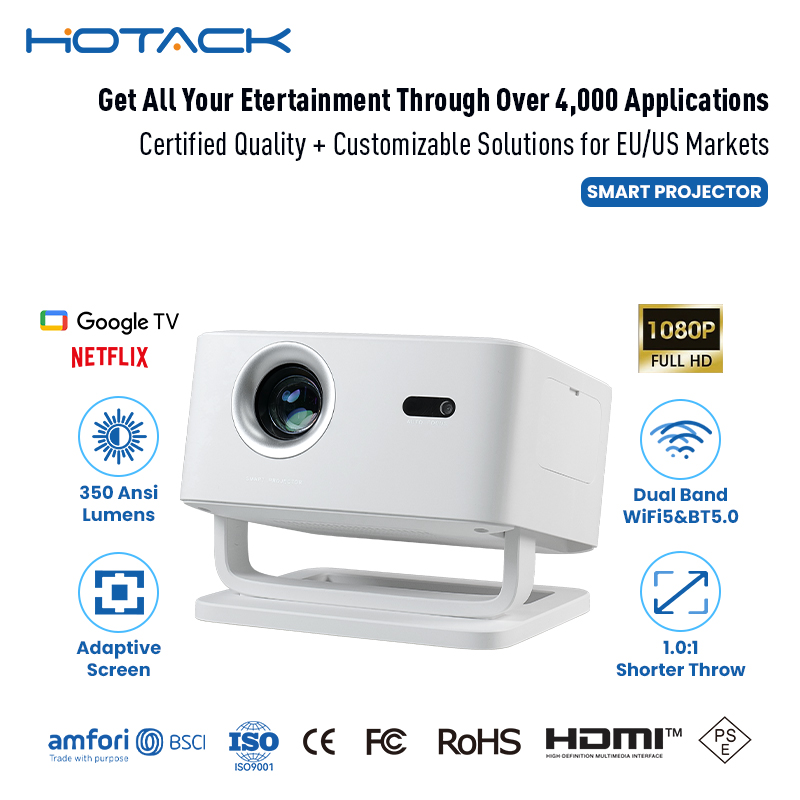
Hotack offers a range of brightness options tailored to classroom needs:
- Base Model (500 lumens): Suitable for small, darkened rooms or supplemental use.
- Advanced/Pro Models (700+ lumens): Deliver clear, vivid images even in moderately lit spaces.
Classroom Projector Tip: For most standard classrooms, look for projectors in the 3,000–5,000 lumen range. Hotack’s Pro models, with 700+ ANSI lumens and 4K resolution, are designed to outperform industry benchmarks, ensuring your presentations stay crisp and engaging even in well-lit rooms.
2. Resolution: Clarity Matters
Resolution determines how sharp your text and images appear. In a classroom, readability is everything.
For most classrooms, Full HD 1080p is the sweet spot. It ensures students at the back of the room can read small text and see fine details in diagrams without eye strain.
Hotack’s Pro models support 4K resolution, delivering cinema-quality visuals that are ideal for detailed presentations and large-screen applications
3. Throw Ratio: Short Throw vs. Long Throw
This is where many buyers get stuck. “Throw distance” is how far the projector needs to be from the screen to create a certain image size.
In a classroom, short throw is often the smarter choice. It eliminates the problem of teachers casting shadows on the screen while pointing at content. For interactive teaching, where teachers need to work near the display, this is a significant advantage.
Hotack offers versatile projection distances—from 1 to 4 meters—providing excellent adaptability for classrooms of different sizes and layouts
4. Connectivity: Make It Plug-and-Play
Teachers have limited time between classes. The projector must work immediately.
Essential Ports:
- HDMI (non-negotiable, modern laptops use this)
- USB-A (for flash drives, direct playback)
- Audio out (for external speakers)
Bonus Features:
- Wi-Fi / Wireless casting (connects to tablets, phones, student devices)
- USB-C (single-cable connection for video, data, and power)
Classroom Projector Tip: Check if your projector supports Miracast or AirPlay. Many classrooms now use student tablets and smartphones as teaching tools. Wireless connectivity makes switching between devices seamless
Hotack’s Android-based smart projectors include built-in Wi-Fi, USB, and wireless casting, eliminating the need for external adapters or dongles
5. Durability and Maintenance
Classroom projectors get used every day, often for hours at a time. Durability isn’t a luxury—it’s a requirement.
| Factor | Traditional Lamp | Laser/LED |
|---|---|---|
| Lamp Life | 2,000–5,000 hours | 20,000–30,000+ hours |
| Maintenance | Regular bulb replacements | Minimal, virtually maintenance-free |
| Warm-up Time | Slower | Instant on/off |
Laser projectors cost more upfront but save money over time. For schools with limited IT budgets, the lower total cost of ownership makes laser a strong argument.
Hotack models feature built-in durability, including corrosion-resistant metal bodies and RoHS certification—designed to withstand frequent use in demanding environments.
6. Smart Features: Not Essential, But Helpful
Some projectors now include built-in Android OS, letting teachers stream directly from apps like YouTube, Google Classroom, or Netflix without connecting a laptop.
This can be a time-saver, especially in classrooms where teachers move frequently between rooms. However, be cautious: school IT departments often prefer projectors without onboard OS for security and simpler fleet management.
Hotack offers Android-based smart projectors with seamless app integration and internet connectivity, supporting a wide range of multimedia applications while providing flexibility for schools that want smart features.
Choosing the Right Projector for Your Classroom
Here’s a simple decision flow:
- Start with the room. Measure the lighting and distance from projector wall to screen.
- Set minimum brightness. If the room has windows, choose 3,000+ lumens. If it’s bright, aim for 4,500+ .
- Choose resolution. 1080p is the standard for clear text and images.
- Pick a throw type. Short throw is usually best for classrooms.
- Check connectivity. Ensure HDMI is present, and consider wireless if devices are used.
- Weigh long-term costs. If the projector will run daily, laser pays off.
- Look for durability and reliability. School projectors must withstand heavy use.
- Classroom Projector Tip: If you have a large lecture hall, consider ultra-short throw. Some models (like Epson’s BrightLink series) can project up to 130 inches from just inches away, and they’re designed specifically for education. For most standard classrooms, Hotack’s versatile range—combining brightness, 4K resolution, and built-in speakers—offers a complete solution that simplifies setup and enhances classroom engagement.
Hotack Projectors: Built for Classrooms
Hotack combines:
- Up to 700 ANSI lumens for bright, clear visuals
- 4K resolution for sharp, detailed content
- Built-in Android OS and Wi-Fi for seamless connectivity
- Portable, lightweight design for easy movement between classrooms
- Durable, RoHS-certified construction for long-term reliability
Whether you’re outfitting a single classroom or an entire school district, Hotack offers projectors that balance performance, durability, and value—so teachers can focus on teaching, not troubleshooting.
Ready to upgrade your classroom? Contact Hotack today to find the right projector for your school.
